Your timesheet, now in your pocket
The Simple Timesheet mobile app lets your team log hours in seconds, from anywhere. Same account, same projects, same data as the web app. Free for up to 10 users, forever.
Free download. No credit card required. Requires iOS 15 or later, or a recent Android device.

Does Simple Timesheet have a mobile app?
Yes. Simple Timesheet is available as a free native mobile app on iOS (iPhone and iPad) and Android. You sign in with your existing Simple Timesheet account, and every entry you log on your phone appears instantly in the web app for your managers and reports.
A tour of the app
Four screens are all it takes to run your week.
Your week at a glance
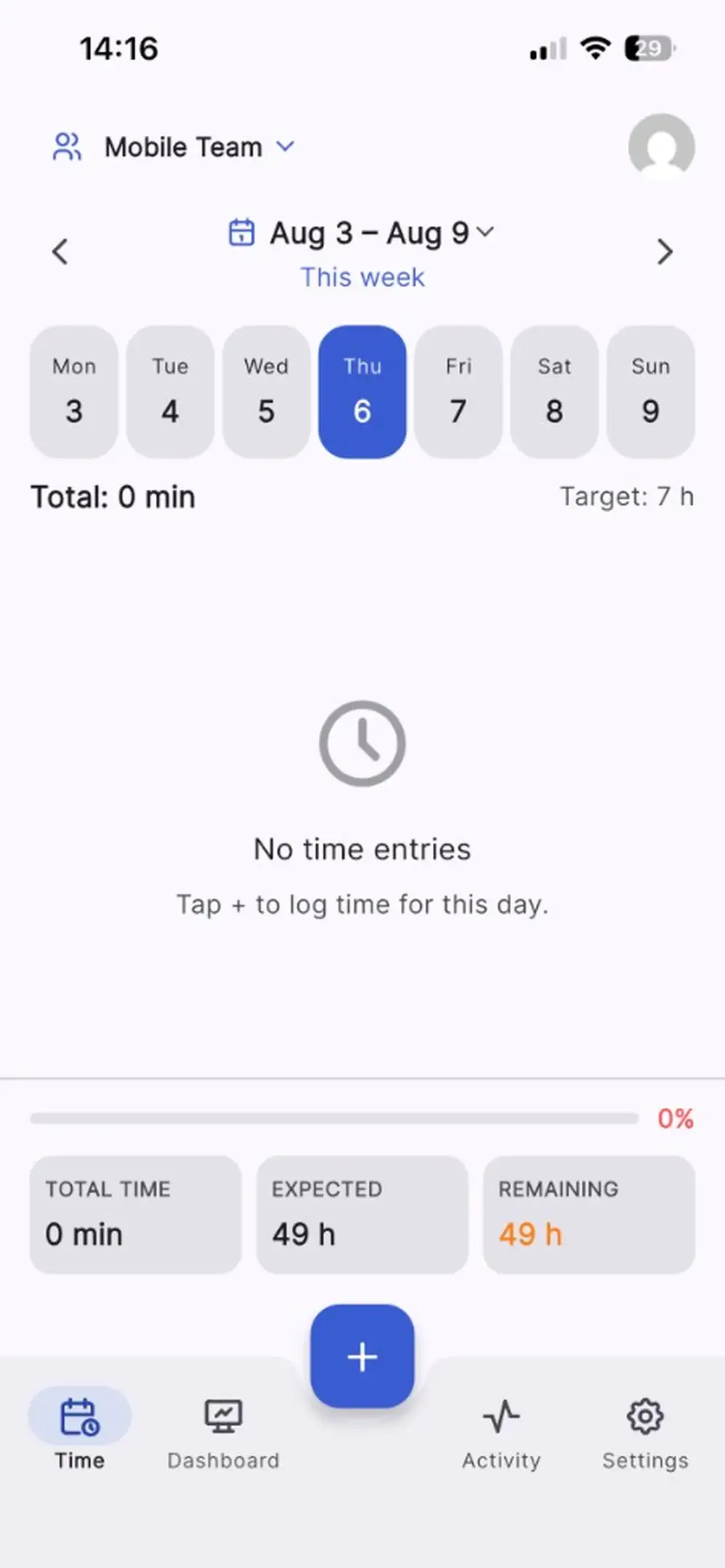
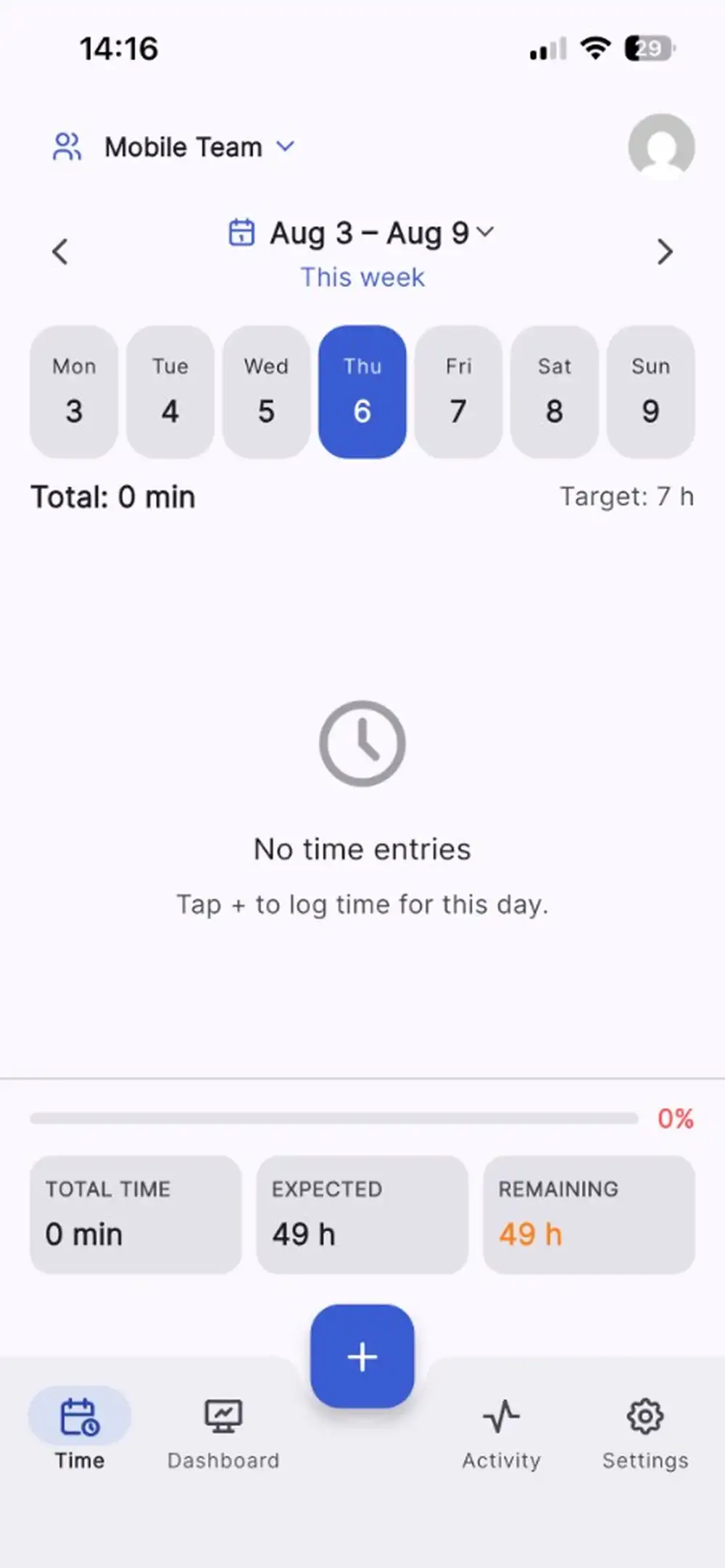
Open the app on the current week, switch days with a tap, and see your total against your target hours. The progress bar tells you immediately whether anything is missing.
Log time in a few taps
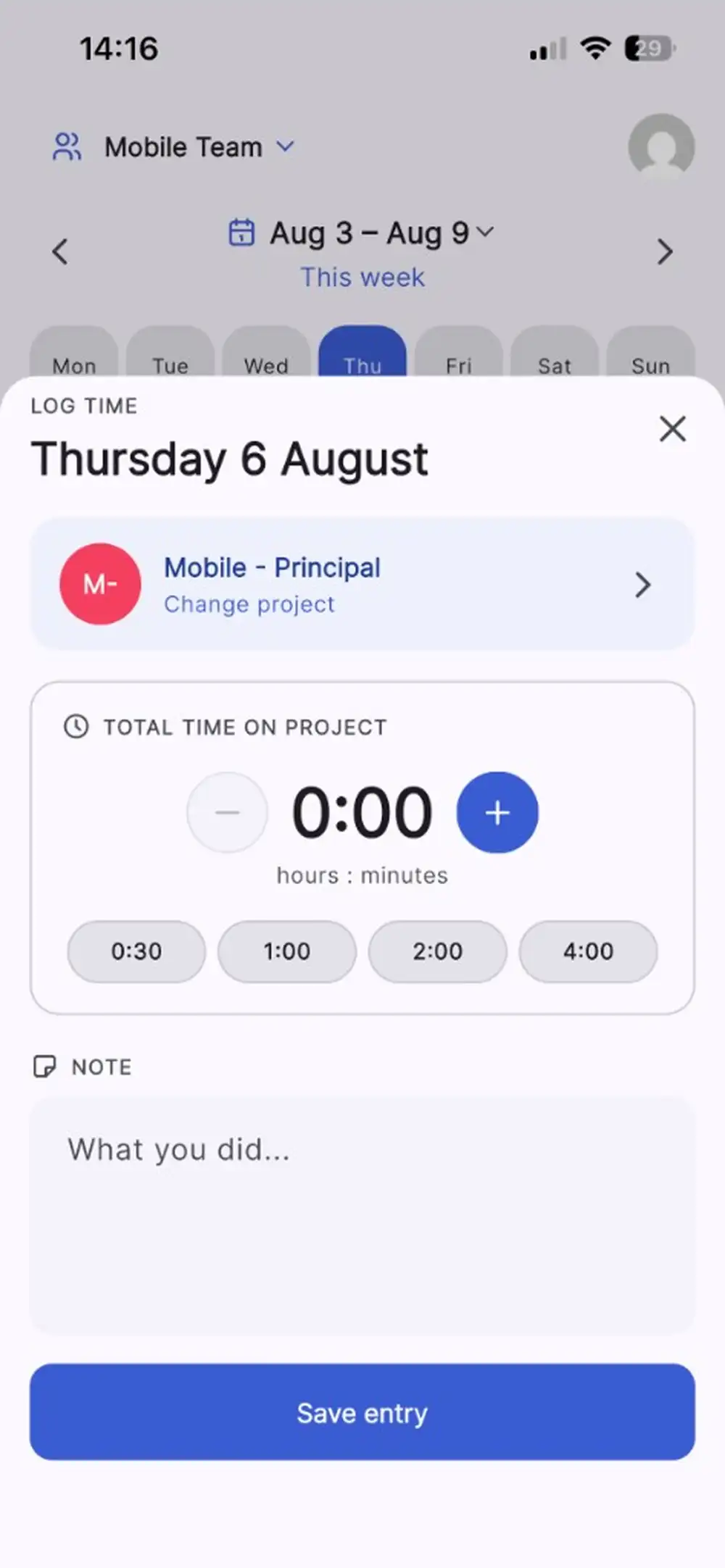
Pick a duration shortcut (30 minutes, 1, 2 or 4 hours), fine-tune with plus and minus, add a note about what you did, and save. No keyboard gymnastics.
Switch project instantly
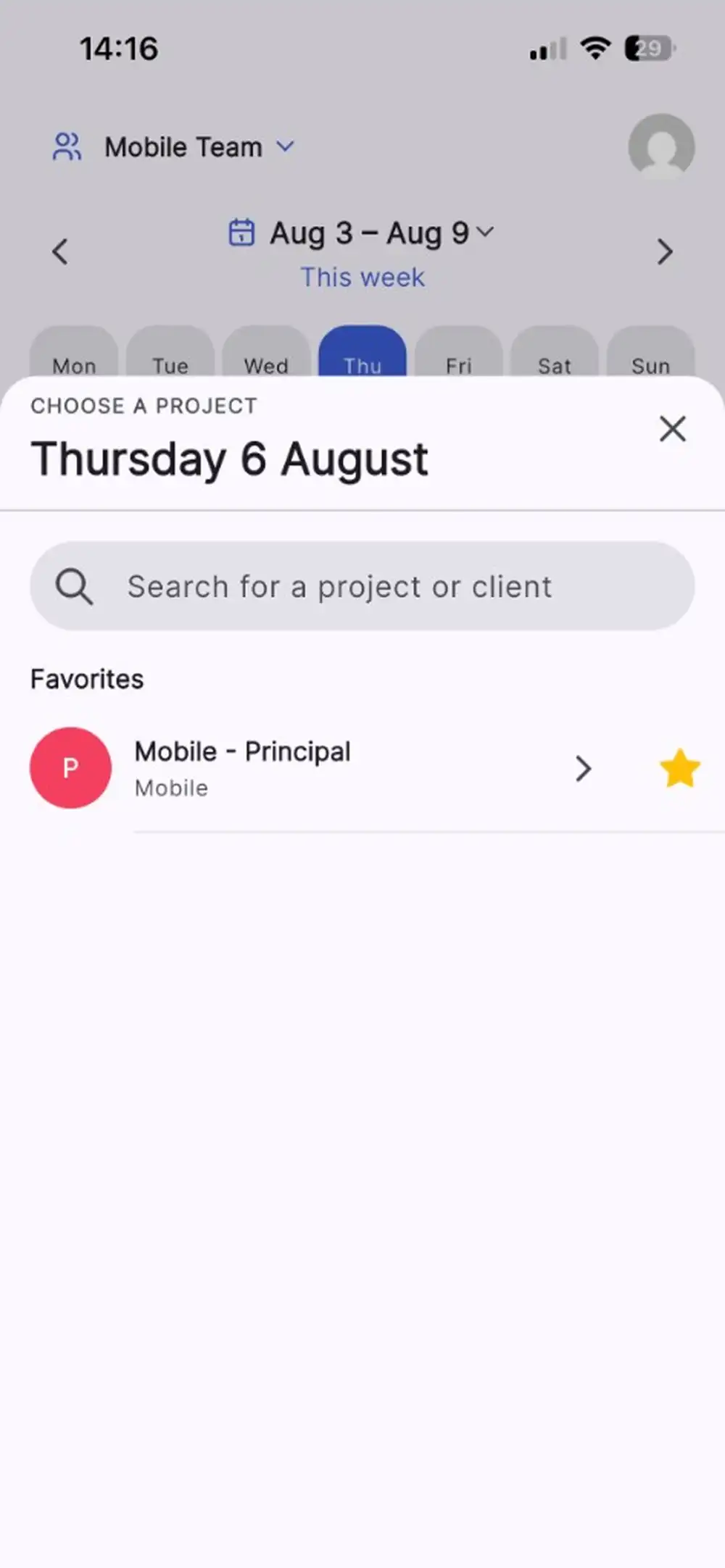
All the projects you are assigned to are one tap away, with your most recent ones first. Change project without leaving the entry you are creating.
One account, everywhere
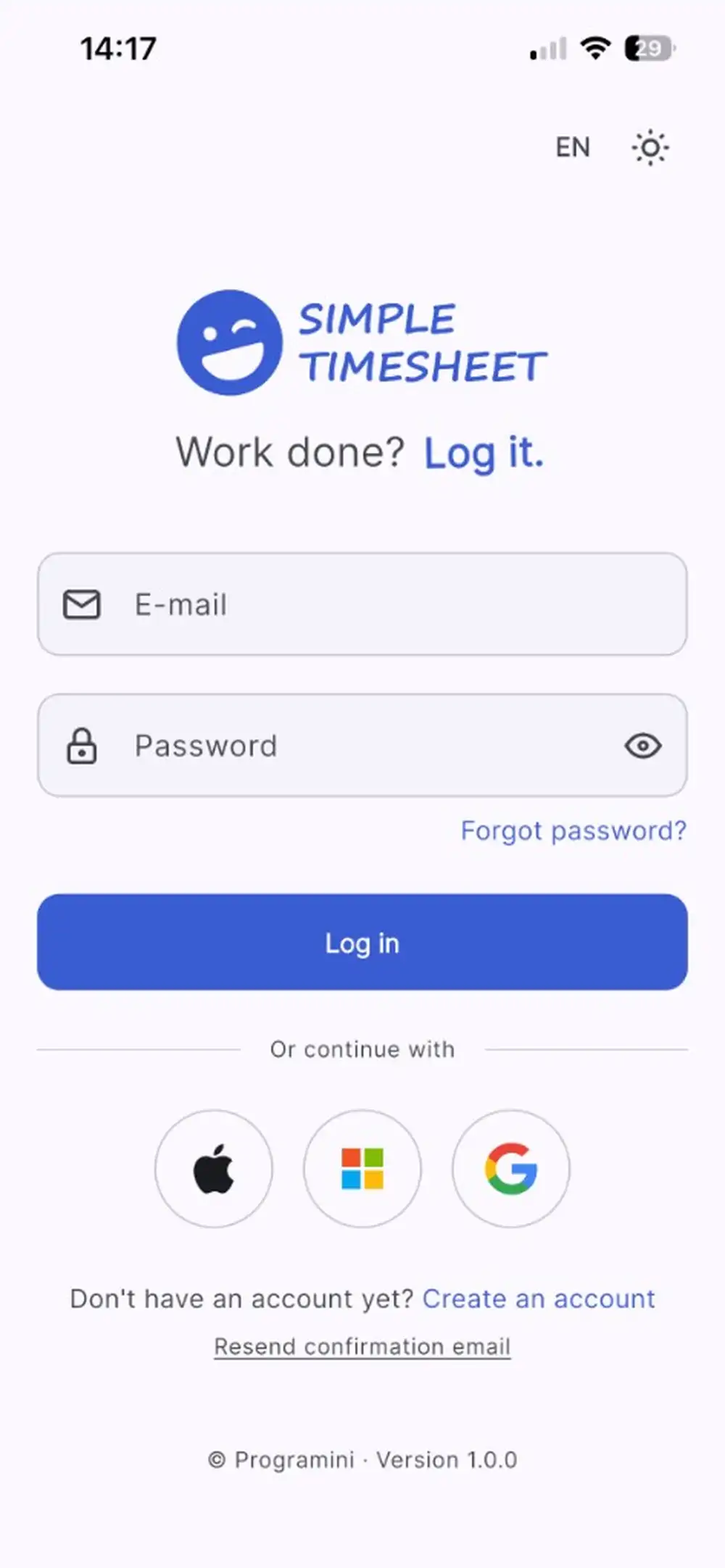
Sign in with the credentials you already use on the web, including multi-factor authentication. Your teams and permissions follow you automatically.
Why teams love tracking time on mobile
Time entries are most accurate when they are captured on the spot. The app removes the last excuse for waiting until Friday.
Track time where the work happens
On a client site, on the road, on the shop floor. No laptop, no VPN, no waiting for a desk.
Fewer forgotten hours
Logging a day takes seconds, so entries happen the same day instead of being reconstructed from memory.
Built for one hand
Large touch targets, duration shortcuts and a single primary action per screen.
Your data stays in sync
Everything you log on mobile is immediately visible in dashboards, exports and the API.
Secure by default
Encrypted connections, role-based access and optional multi-factor authentication on your account.
Free for small teams
The app is included at no cost, like every other feature, for teams of up to 10 users.
The app is not a separate product
The mobile app is another window onto the same Simple Timesheet account. Nothing to migrate, nothing to reconcile, no second source of truth.
- Same login, same teams, same projects and permissions
- Entries logged on mobile appear instantly in the web dashboards
- Managers keep approving and exporting from the web as usual
- Excel exports and the API include mobile entries automatically
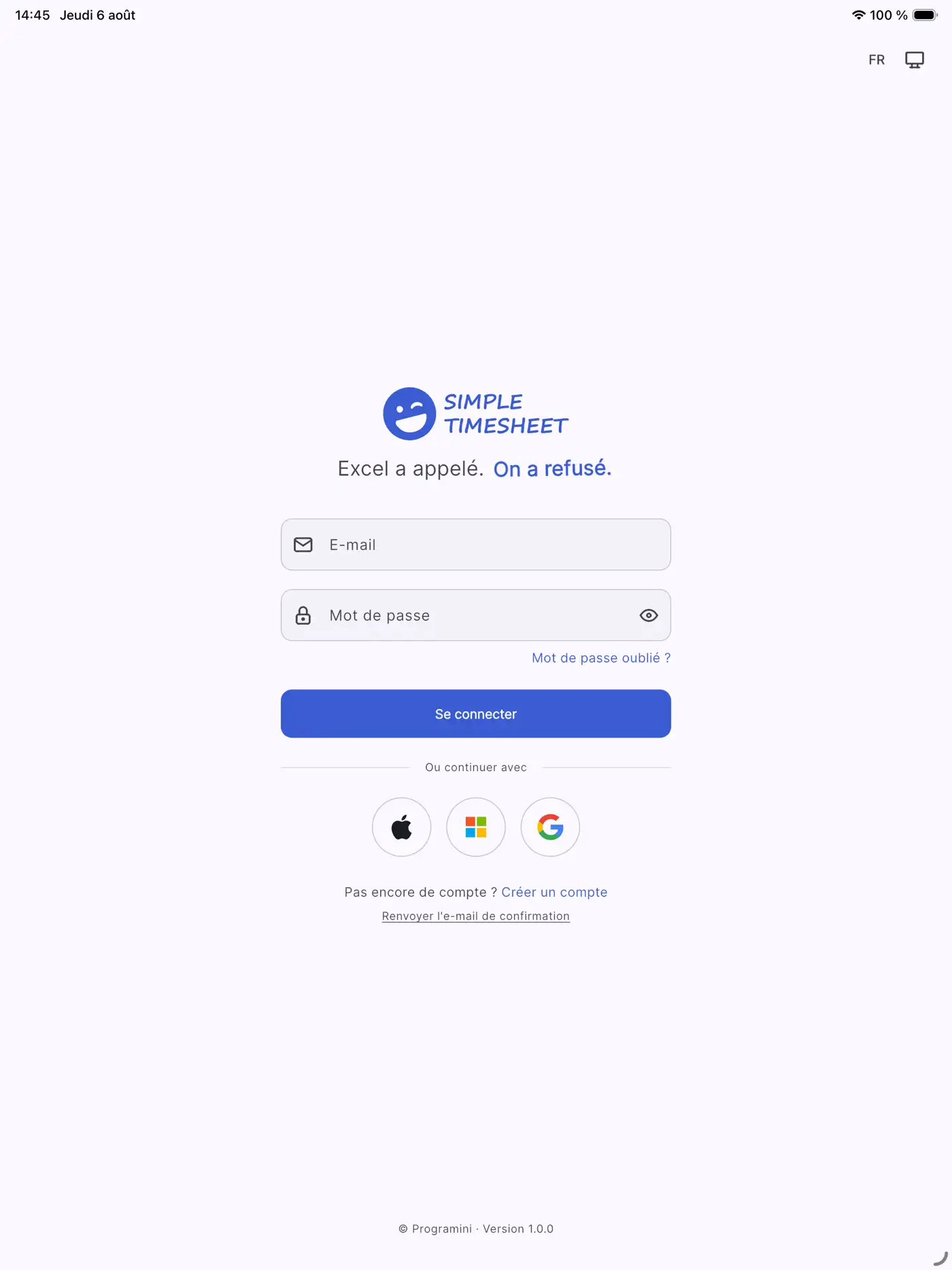
- Works on phones and tablets, in portrait or landscape
iOS 15.0+ · Android · iPad
Mobile app questions
Is the Simple Timesheet mobile app free?
Yes. The app is a free download on both stores, and it is included in the free plan that covers teams of up to 10 users. Larger teams pay €2 per user per month for the whole product, app included.
Do I need a separate account for the mobile app?
No. You sign in with the same Simple Timesheet account you use on the web. Your teams, projects and permissions are exactly the same, and your entries are shared between the app and the web app.
Which devices are supported?
The iOS app runs on iPhone and iPad with iOS 15 or later. The Android app is available on Google Play for recent Android phones and tablets.
Does the app track my location or monitor my activity?
No. Simple Timesheet is a declarative time tracking tool: you tell it what you worked on. There is no GPS tracking, no keystroke logging and no screenshots. Your team stays in control of what is recorded.
Can managers approve timesheets from the app?
The app focuses on fast time entry and personal follow-up. Team dashboards, approvals, reporting and exports remain in the web app, which is where managers already work.
Install it, log your first day in 10 seconds
Create a free account in three minutes, then install the app on your team's phones. Free forever for up to 10 users.
Or start free on the webNo credit card required